Safari 12 just introduced favicons in tabs. I know, I know :)
I’ve been using Safari more and more in the last year and I hated the hacks necessary to get the favicons to show. Finally, Apple added them.
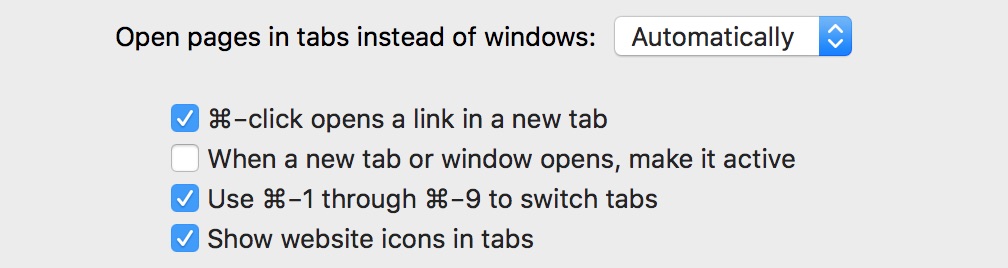
Here’s how to get them: Safari -> Preferences -> Tabs and check “Show website icons in tabs”.


 In case you want to read them, here they are, in chronological order:


 For the last 6 months or so I found myself developing a new, interesting habit. Whenever I sat on the couch watching a movie, a football match, a tennis match or anything passive enough, I’d want the iPad next to me, as the device to do things on. Until then, the devices I prefered were a 2012 MacBook or my iPhone 7+.