I am an avid Evernote user. Everything I find interesting I clip it into Evernote and find it there whenever I need it. The biggest issue I’ve had, though, with this is the fact that you do not have an addon for iOS browsers (Chrome/Safari).
Well, not anymore :D
Today I’ve found a workaround that is actually quite interesting and easy to use.
1.Step 1
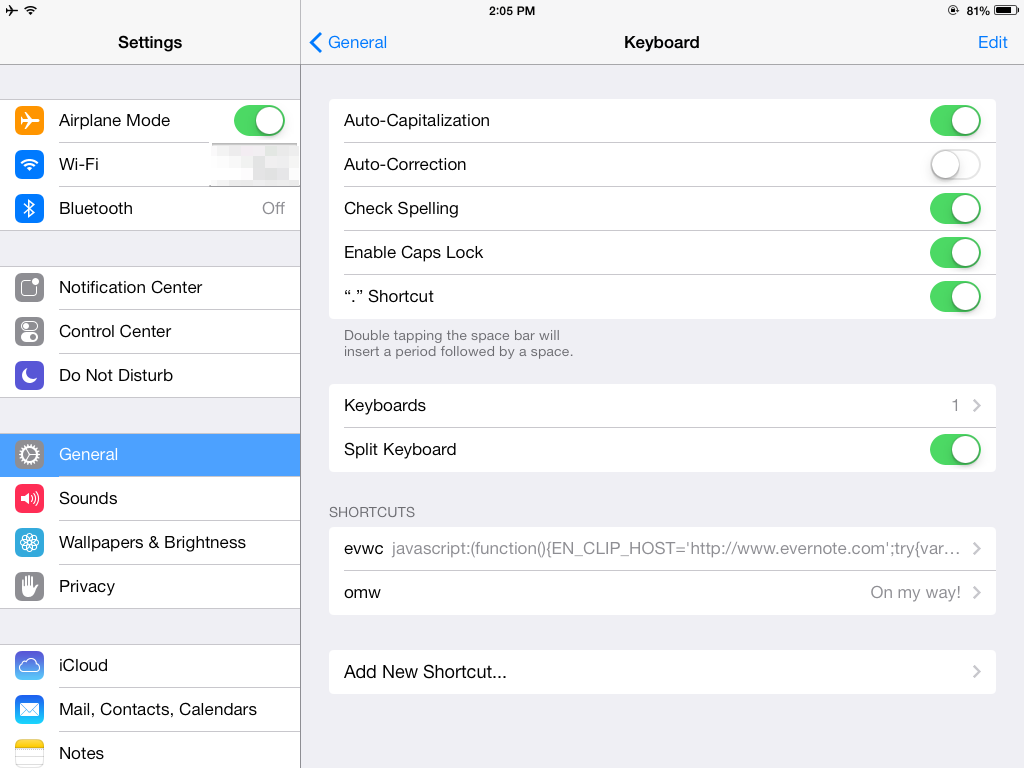
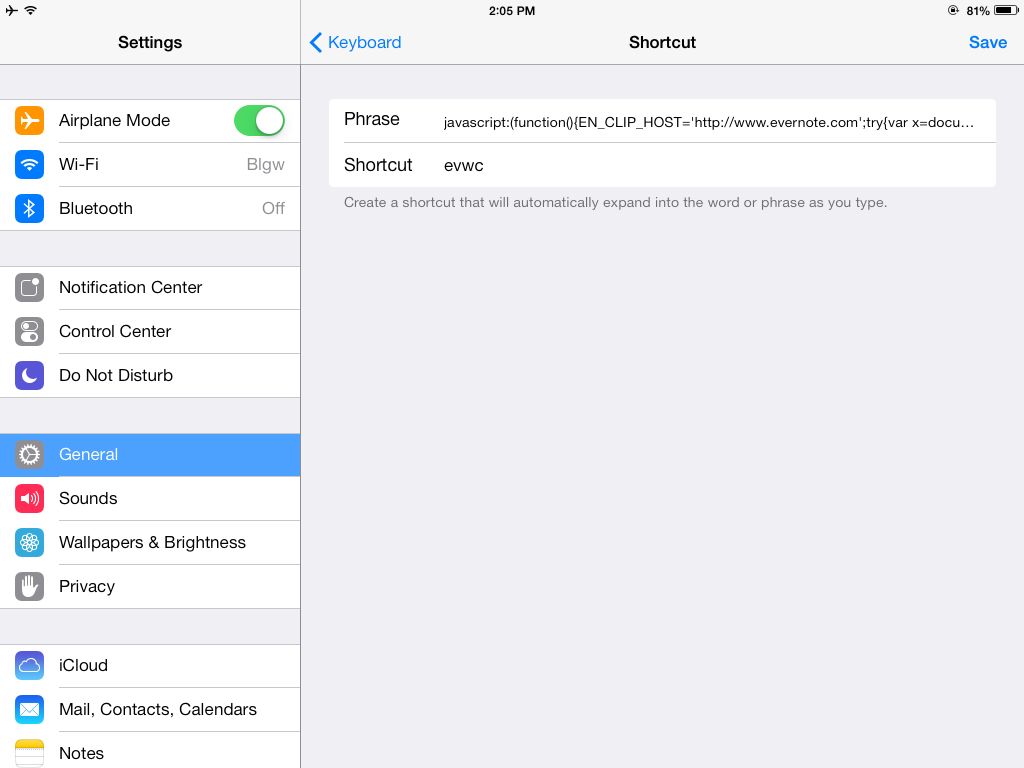
Create a Keyboard shortcut with the webclipper code. I don’t use it generally, but you can do it by going to Settings -> Keyboard -> Shortcuts (see the screen below).
Create a shortcut by naming it whatever you want (mine is called evwc, from EVernote WebClipper). It’s better to use a combination of letters that is not easy to find in websites, because then the autocomplete of Chrome will kick in and it will not work.
The code you need to put in the shortcut is this:
javascript:(function(){EN_CLIP_HOST='http://www.evernote.com';try{var x=document.createElement('SCRIPT');x.type='text/javascript';x.src=EN_CLIP_HOST+'/public/bookmarkClipper.js?'+(new Date().getTime()/100000);document.getElementsByTagName('head')[0].appendChild(x);}catch(e){location.href=EN_CLIP_HOST+'/clip.action?url='+encodeURIComponent(location.href)+'&title='+encodeURIComponent(document.title);}})()
Hit Save, then get back to Settings -> General
2. Step 2
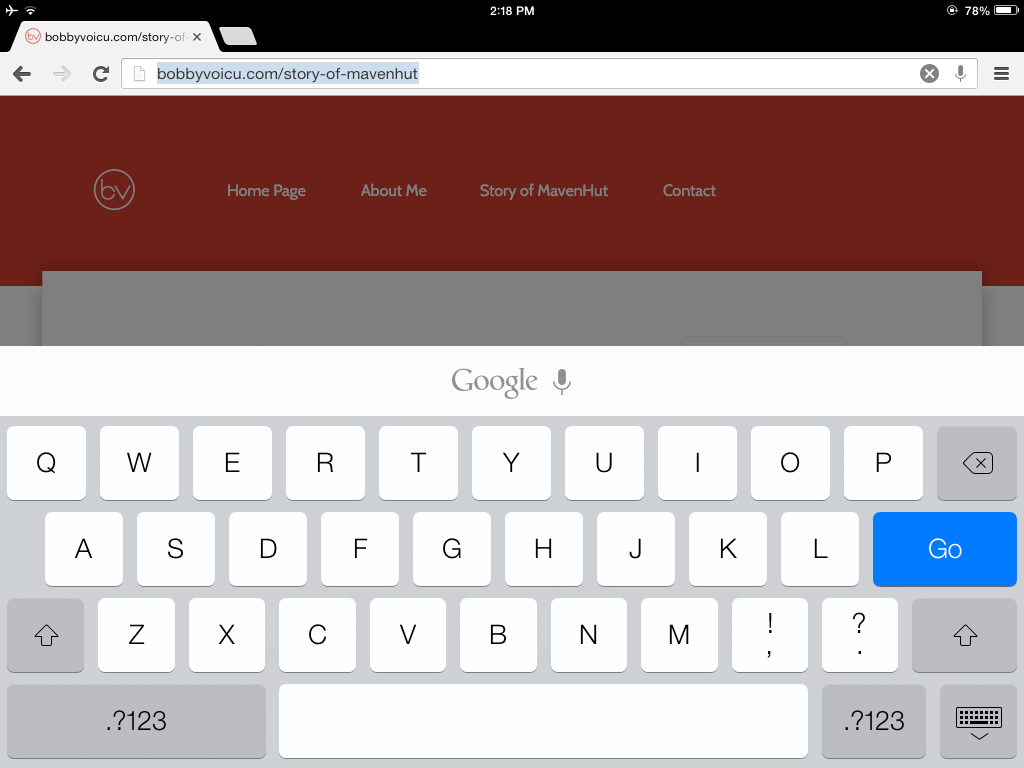
Go to Chrome/Safari and open the page you want to clip. Click on the top URL (this will select the entire URL), then write your shortcut name (evwc is mine), press SpaceBar and then press Go. It will open a
See the steps below:

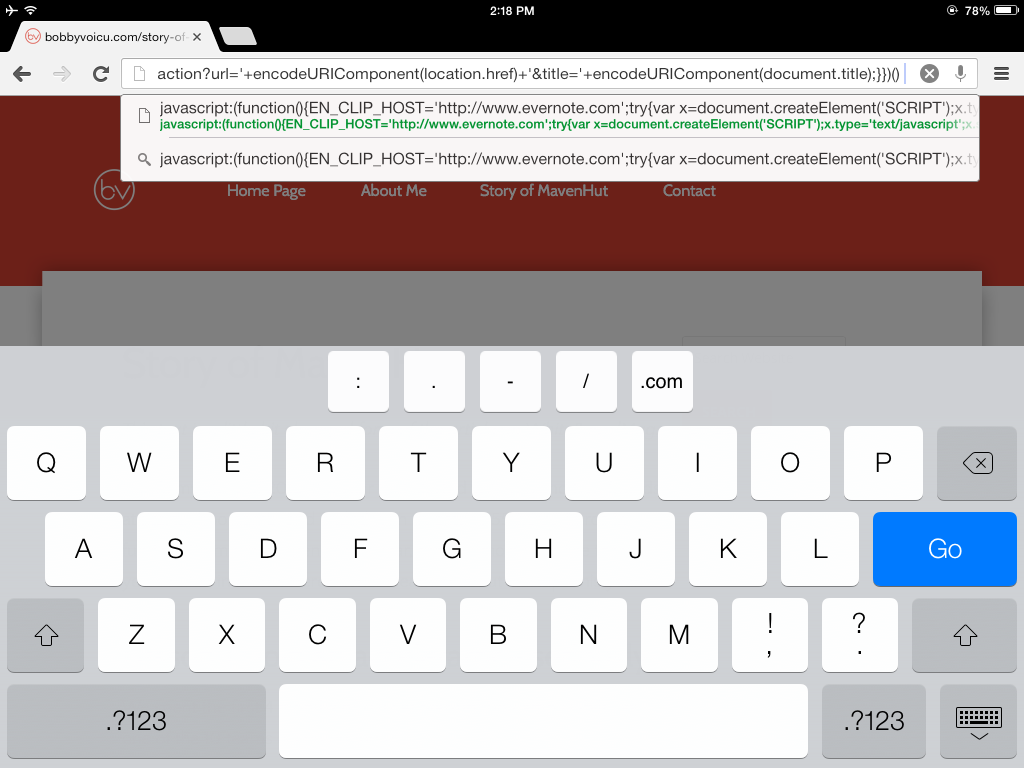
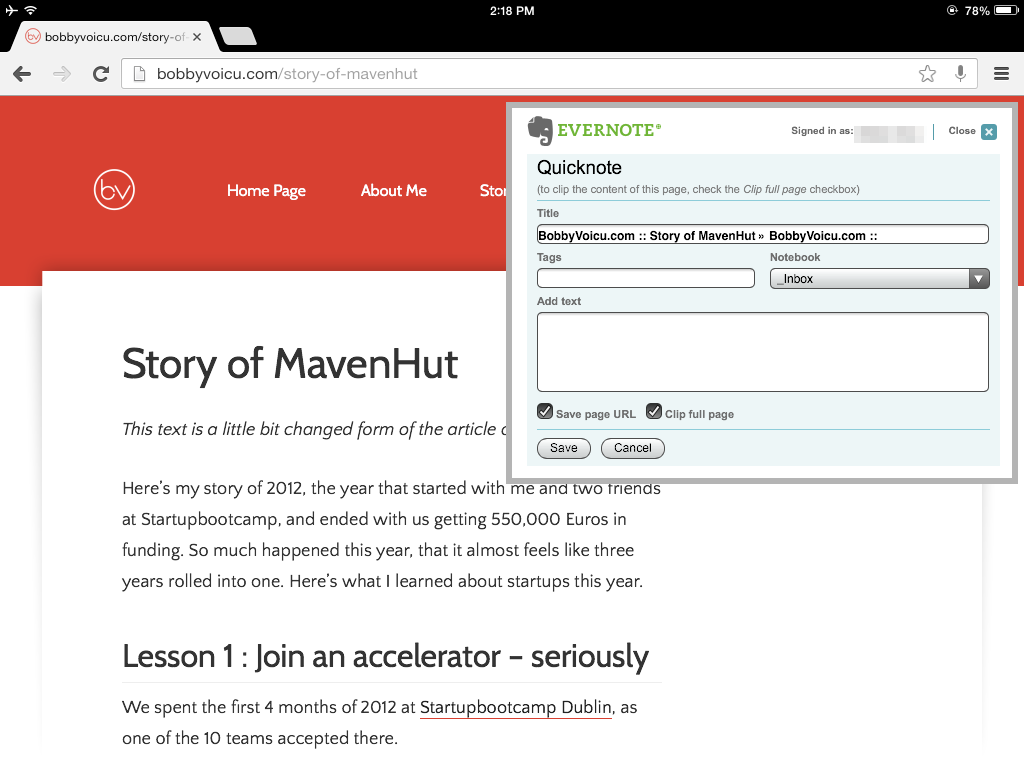
At the end, you can see the Evernote window and.. that’s it! :)
Though the example above is shown on Chrome on iPad, it also works on Safari and on iPhones.
Got the info from these two pages: Cute Chrome iOS easy workaround and CTRLQ