I’ve had to do some cleaning for a list of numbers recently and I used Google Docs for that. Of course, I used the Excel equivalent, Google Sheets.
Since it’s not the first time I looked for this information, I thought I would put it here, in case I ever need it again. And in case anybody else needs it.
How to TRANSPOSE cells in Google Docs (Sheets)
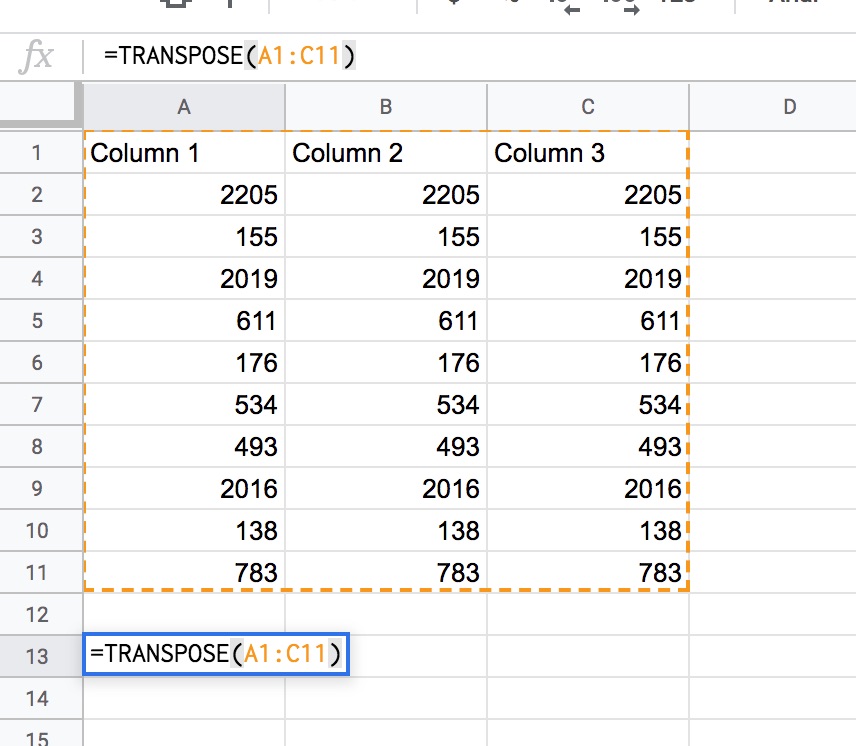
- Use this function: =TRANSPOSE(A1:C11)
- Change A1 and C11 with the top left and bottom right, respectively. You can see how in the image below.
How To Remove Duplicates in Google Docs (Sheets)
This is even simpler.
- Just select all your fields (or not, since you also have the option of remove duplicates in the entire sheet).
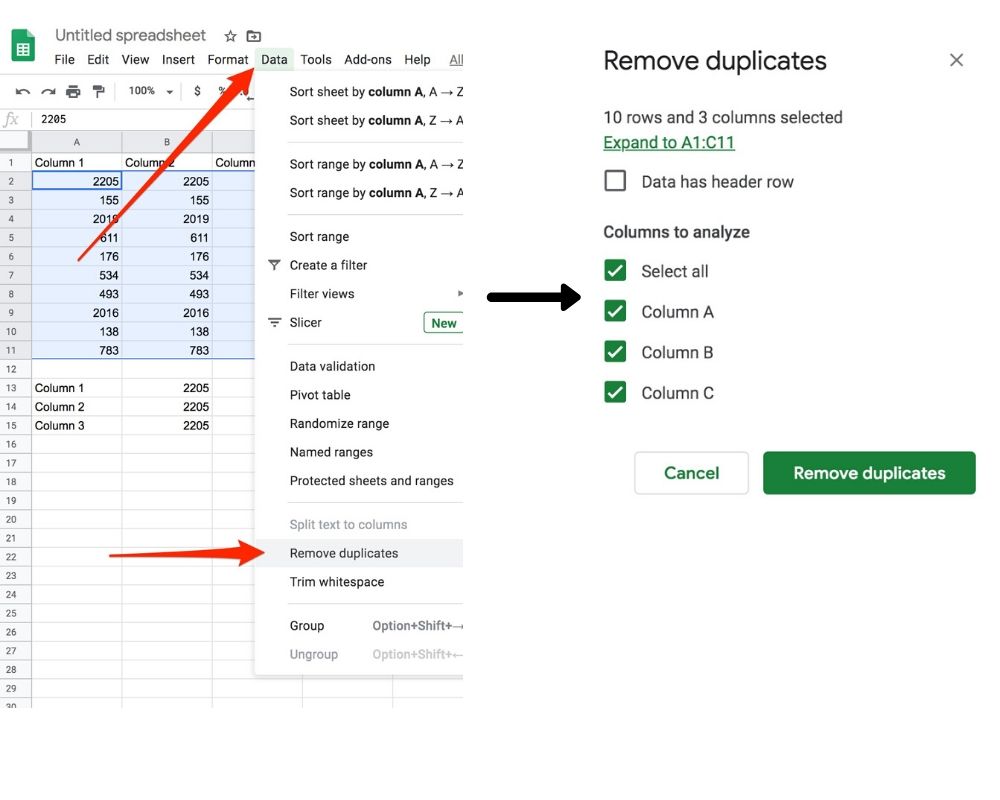
- Go to Data -> Remove Duplicates in the top menu (see the image below).
- Then you are taken to another window, where you can select exactly where you want to remove the duplicates.
- And that’s it!